
Table of Contents
1. Introduction: Modern Procurement and the Need for Digital Transformation
2. What Is the Procurement Process?
3. Core Procurement Subprocesses
4. Excel vs ERP in Procurement: An Overview
5. Key Differences Between Excel and ERP
6. Why ERP Is Superior to Excel for Cost Estimation and Procurement
7. Top Reasons to Switch from Excel to ERP
8. Can Excel Replace ERP? Understanding the Limitations
9. When to Use Excel in Modern Procurement
10. What Is an ERP System? Features and Capabilities
11. Excel vs ERP: Comparison Table (Pros and Cons)
12. Excel or ERP: Key Differences That Impact Cost Estimation
13. How to Decide: Choosing the Right Solution for Your Business
14. Conclusion: Building a Future-Ready Procurement Strategy with ERP
Today, procurement entails more than just fulfilling orders. Procurement teams nowadays promote effectiveness, visibility, and cost reductions throughout the company. The difficulty for mid-market and enterprise procurement professionals who are under pressure to enhance procurement processes this quarter is straightforward: antiquated workflows based on email chains, archaic ERP routing, or Excel are slowing things down and limiting their impact.
ERP or Excel? Find the best way to boost your company’s efficiency, scale for expansion, and increase operational excellence. In the realm of company operations, efficiency is essential. Effective data management and process simplification can be the difference between stagnation and development, regardless of whether you are a thriving start-up or an established business. Any business’s operational effectiveness may be significantly impacted by the choice between using Excel or Enterprise Resource Planning (ERP). To decide which choice will best suit your organization’s goals, it is crucial to consider the advantages and disadvantages of each one. Excel has several tools for data analysis and visualization, making it a strong tool for data management. It might not be appropriate, nevertheless, for handling intricate business procedures that need for system integration. An
ERP system, on the other hand, is a complete solution that can manage a variety of corporate operations and tasks, such as human resources, CRM, and asset management.
Making the choice between ERP and Excel should not be rushed; it is important to select the option that best suits the aims and objectives of your company.
What is the process of procurement?

Let’s begin with a comprehensive definition first. All of the actions or procedures involved in obtaining products and services from outside sources make up the procurement process. Finding suppliers, negotiating terms, onboarding suppliers, buying products, receiving and examining products, managing invoices, payments, and supplier relationships are all included in this.
In order to guarantee that an organization may obtain the most value from its external suppliers, the procurement process is essential to the larger procurement lifecycle. It is essential for a number of reasons:
Cost Effectiveness: Businesses can maximize budget efficiency and control expenses by negotiating the best terms and prices for the goods and services they need.
Quality Guarantee: Businesses may make sure they receive high-quality products and services that satisfy their standards and requirements by carefully choosing and managing their suppliers.
Risk handling: Organizations can detect, evaluate, and reduce risks related to supplier dependability, contractual duties, and market fluctuations through the procurement process.
Smart Sourcing: It helps firms make strategic sourcing decisions, secure supply chains, build enduring relationships with suppliers, and adjust to changing market conditions.
Compliance and Openness: It guarantees adherence to legal requirements, encourages openness, and backs moral business conduct.
Two crucial subprocesses in the procurement process are:
Source-to-Contract (S2C): In order to secure advantageous terms and conditions for the company, Source-to-
Contract (S2C) focuses on strategic procurement considerations, setting up the framework for spend analysis, supplier selection, supplier risk and performance management, negotiations, and contract management.
Procure-to-Pay (P2P): P2P is focused on operational procurement, which includes placing orders, getting products and services, and making payments. It places a strong emphasis on inventory control, order fulfillment accuracy, operational efficiency, and efficient payment procedures. P2P and S2C are both essential components of the procurement cycle. Together, they strive to increase productivity, cut expenses, and guarantee the successful procurement of goods and services.
Excel vs Erp
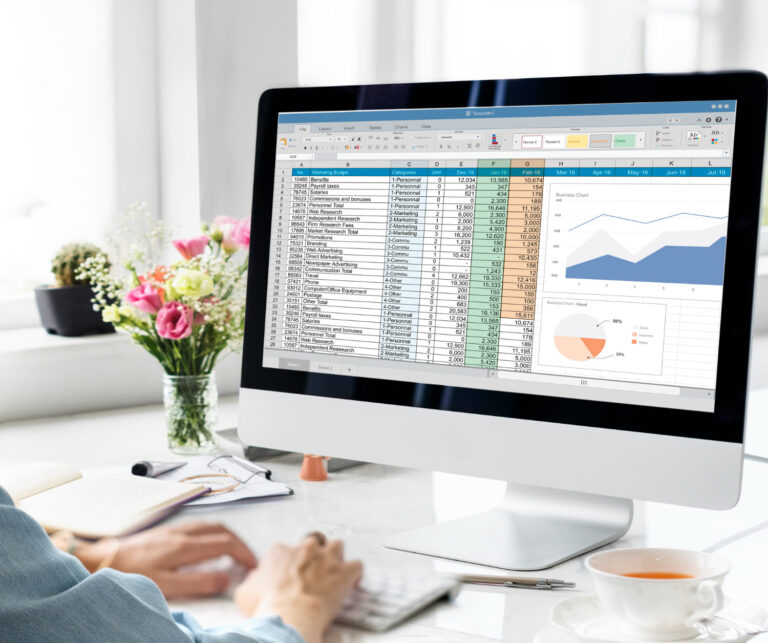
Is it better to use Excel or not? That is the current question. Now, amid the new Roaring Twenties, businessmen of all shades are struggling with this 21st-century conundrum. Microsoft’s Excel version 5.0, which made spreadsheet computing as simple as 1-2-3 in the early 1990s, quickly took over the market. With more than 750 million users worldwide, Excel continues to dominate the spreadsheet market despite the abundance of alternative solutions available today.
How Do Excel and ERP Differ from One Another?
There are significant differences between ERP and Excel. Examine the main differences in this comparison between data integration, scalability, real-time access, automation, and CRM integration. There are some significant differences between ERP and Excel, including:
Data Collaboration: ERP seamlessly integrates data across several corporate activities, whereas Excel necessitates manual data entry and reconciliation across spreadsheets.
Scalability: ERP systems are made to grow with your company, whereas Excel finds it difficult to handle business expansion.
Real-time Exposure: ERP systems provide immediate data visibility for well-informed decision-making, but
Excel does not provide real-time data access.
Automated processes: Excel depends on manual labor and computations, but ERPs automate essential company operations.
CRM Collaboration: While Excel lacks integrated customer relationship management, the majority of ERPs, such as Centerpoint, have CRM modules.
Why Use an ERP System: What Makes ERP Superior to Excel?
Excel has limitations even though it is unquestionably a versatile tool. It may initially appear to be an affordable and simple way to manage activities and data, but as your company expands, these drawbacks become more noticeable. Here’s why ERP performs better than Excel:
- Whole-System Integration: Excel is essentially a stand-alone program that requires you to manually enter, update, and reconcile data from other spreadsheets. ERP, on the other hand, provides smooth integration of various data sources and company operations. Throughout the organization, this integrated strategy guarantees data consistency, removes mistakes, and makes information accessible in real time.
- Integrity of Data and Reliability: Particularly when there are several users engaged, Excel is prone to data duplication, mistakes, and inconsistencies. By centralizing data storage, an ERP system keeps your company’s source of truth consistent. This improves the security, integrity, and correctness of data.
- Adaptability: Excel gets cumbersome as your company grows. Because an ERP system is built to evolve with your company, it can be adjusted to meet its evolving needs. This scalability offers long-term benefit and removes the need for repeated system overhauls.
Better Ability to Make Decisions: ERP systems give you instant access to data from all areas of your company.
This makes it possible for managers to quickly analyze data, create reports, and make data-driven choices.
Better bottleneck detection, process optimization, and more intelligent strategic planning are all made possible by increased visibility.
Improved CRM, or customer relationship management: CRM modules are included in many ERP systems, such as Centerpoint ERP. Businesses may handle consumer data efficiently, offer individualized experiences, and expedite sales and marketing procedures thanks to this connectivity. Effective customer relationship management is difficult in Excel since it lacks this built-in CRM feature.
Why Use an ERP System: Why Switch from Excel to ERP?
The choice to move from Excel to an ERP is made in order to fully realize your company’s potential as well as to overcome Excel's shortcomings. The following are strong arguments for switching:
- Enhanced Efficiency: ERPs provide job and process automation and integration, which increases operational efficiency. Time savings, increased production, and eventually growth are all results of this efficiency.
- Data Transparency: ERP systems give managers access to real-time data, which aids in their decision- making. Better resource allocation, process optimization, and general strategy improvement are made possible by increased visibility.
- Business Development: The scalability of an ERP guarantees that it can expand along with your company. It eliminates the need for expensive system updates by supporting higher transaction volumes, more users, and various locations.
- Condensed Procedures: ERPs reduce inefficiencies and unnecessary work by centralizing data and automating procedures, which streamlines operations and boosts overall productivity.
- Improved Customer Service: CRM components in ERPs enable companies to offer more individualized experiences, better customer service, and more successful sales and marketing initiatives, all of which increase customer satisfaction.
Excel or ERP: Can Excel Replace ERP?
Excel is a versatile tool and can be suitable for smaller businesses with limited data management needs.
However, as businesses grow, the complexities of managing data and operations within Excel become evident.
While Excel can be a valuable addition to an ERP system, it is not a suitable replacement for an ERP, especially for larger organisations with diverse operations.
For startups that want flexible, affordable, ad hoc data analysis, Excel is perfect. However, ERP (Enterprise Resource Planning) is required for expanding companies in order to do rid of manual, inconsistent, and error- prone spreadsheet procedures. ERP offers scalability, automation, and enhanced cooperation by providing real-time, centralized data for operations, finance, and inventories.
Why Use Excel?
Perhaps you’s;re wondering why you need Excel at all. Don't the ERP systems of today give me all the information I require? Since their inception in the 1960s, the ERP systems that are currently in use have seen significant development. In the 1990s, the Gartner Group came up with the phrase "ERP systems," which was not yet widely used. Manufacturers have been using ERP systems since the beginning, but what are they utilized for? Some hints are given by the acronym
When to Utilize Excel
Excel often outperforms ERP in ad hoc analysis and reporting, although there are rare exceptions. It is ridiculous to expect accountants, who are heavy Excel users, to give up Excel
Excel’s benefits
- Individualization: The formatting and structure of spreadsheet reports can be readily altered.
- Impromptu Analysis: Perfect for gathering financial information at specific moments in time for reporting in the future. Customization: The formatting and structure of spreadsheet reports can be readily altered.
- Adjustability: Tools that offer flexibility are ideal for making more judgment-based decisions and computations.
ERP: What is it?
Enterprise: All of your business operations can be managed by these enterprise-wide platforms. However, some businesses are larger and more sophisticated than others, and not all ERP systems are created equal.
Resource: An enterprise's business resources are essentially its assets, which might range from personnel to equipment.
Planning: To operate the business as effectively as possible, increased complexity in resource and effort
management calls for planning. This is where the 1970s MRP (Material Requirements Planning) technique,
which is now a part of modern ERP systems, comes in.
Accounting, marketing, customer and supplier relations, engineering management, quality management, service
management, and human resources are all included in ERP systems. Why use Excel when ERP systems can
now support a wide range of processes?
When to Use ERP: ERP systems are complicated, but when fully and correctly deployed, they give corporate
operations more rigor. This isn't always the case, as poor implementations can lead to persistent issues and erode
confidence in the ERP system.
ERP Benefits: Extensive Data bank: ERP systems offer an excellent data bank.
Operational efficiency is increased and linked business processes are managed with their assistance.
Scalability: ERP programs are scalable to
System Best For Pros Cons
Excel Ad hoc reporting,
quick and flexible
computations, small
firms, and preliminary
data arrangement.
Incredibly adaptable,
affordable, and user-
friendly.
Lack of real-time data,
prone to mistakes,
challenging to work
with, and not scalable.
ERP (Enterprise
Resource Planning)
Businesses that are
expanding, complex, or
in the manufacturing
sector require
consolidated data,
automation, and
efficiency.
Improved security,
scalability, automated
processes, and real-
time visibility
A steeper learning
curve and higher
implementation costs
Excel or ERP: Key Differences
Data Integrity: While ERP provides a "single source of truth," Excel frequently produces inconsistent,
fragmented files.
Procedures: While Excel necessitates manual entry, ERP automates intricate, multi-departmental workflows.
Adaptability: ERP facilitates expansion, but Excel becomes a bottleneck as business complexity rises.
In the end, moving from Excel to an ERP system is essential for productivity and expansion for businesses that
have outgrown manual procedures and need to integrate departments (finance, HR, and sales).
In Conclusion
Spreadsheets are no longer sufficient for managing intricate sourcing, cost estimation, and supplier collaboration
in modern procurement teams. Excel is still a useful tool for fast analysis and flexible reporting, but it is
insufficient for enterprises that require real-time visibility, scalable workflows, and data-driven decision-making
throughout the procurement lifecycle. Procurement professionals can increase cost accuracy, improve supplier
relationships, and streamline Source-to-Contract (S2C) and Procure-to-Pay (P2P) activities by switching from
Excel-based processes to an integrated ERP system.
Businesses that implement ERP-driven procurement benefit from a single source of truth, automated processes,
and actionable insights that improve forecasts and lower manual errors. In addition to facilitating more precise
cost estimation, this change enhances compliance, transparency, and interdepartmental cooperation—all of
which are critical components of operational excellence and sustainable growth. Excel vs. ERP is no longer the
debate for mid-market and enterprise businesses looking to grow; rather, it's about how fast they can update their
procurement strategy to remain competitive.
In the end, the best strategy is a balanced one: rely on ERP for strategic cost control and end-to-end procurement
management, and use Excel for ad hoc analysis and reporting. Businesses who adopt this digital transformation
will be in a better position to increase efficiency, optimize spending, and create a robust procurement operation
that can expand in the future.
Meta Description: Modern procurement strategy guide: compare Excel vs ERP for cost estimation, automation,
and scalability. Learn when to switch to ERP to improve accuracy, visibility, and procurement efficiency.