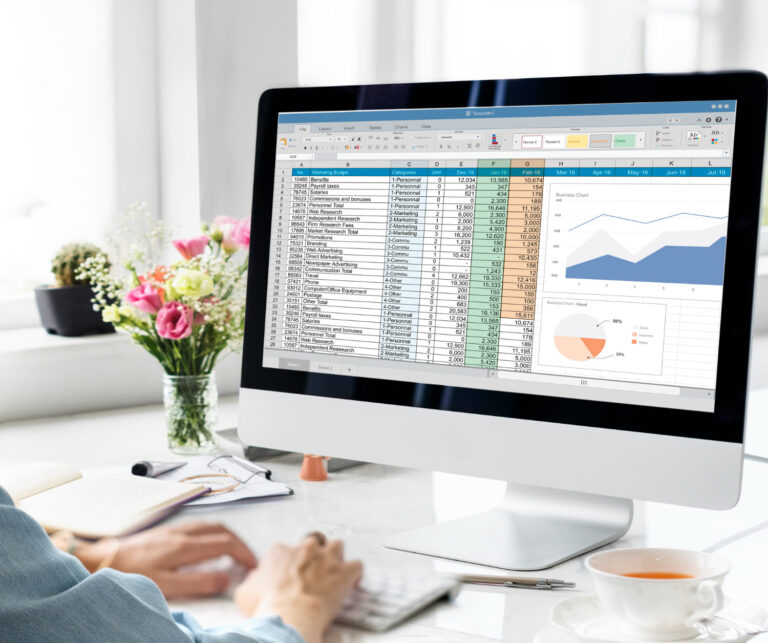

By automating material takeoffs, labor estimates, and cost calculations—all essential for EPC (Engineering, Procurement, and Construction) and construction projects—a Free Automated Bill of Quantities (BOQ) Excel Sheet functions as a clever costing tool. When quantities or rates change, these templates are intended to replace manual, prone-to-error spreadsheets with dynamic, networked systems that rapidly update the entire project costs.
Important Automated BOQ Tool Features
- Automatic Quantity and Rate Calculations: Integrated formulas for grand totals, waste factors, and total amounts (Quantity, Rate), frequently in accordance with IS codes or DSR (Delhi Schedule of Rates).
- Multi-Trade Integration: Enables thorough project budgeting by including civil, electrical, mechanical, plumbing, and finishing work.
- Tender-Ready Output: Produces professional, structured papers that include taxes (such as GST) and are appropriate for tender submission.
- Dynamic Updating: It eliminates the need for manual recalculations by automatically updating the project estimate when a single quantity or unit rate is changed.
- Comprehensive Breakdown: Facilitates comprehensive itemized breakdowns, such as labor scheduling, material takeoff, and subcontractor rates.
- GST & Profit Calculation: Contractor profit, overhead, and 18% GST (or the applicable rate) are automatically calculated.
- Data validation: To guarantee data consistency, drop-down menus for units (Cum, Sqm, Kg, Nos).
Commonly Used Free Automated BOQ Excel Templates
A number of platforms offer ready-to-use templates with structured layouts and automatic formulas:
- Smartsheet: Smartsheet is a premium portal that provides a collection of free Excel templates for cost management, project scheduling, and construction bidding.
- Civiconcepts: Offers a set of building estimation sheets, including templates for calculating steel quantities and complete building cost estimates.
- Fuzen.io: Offers a cost control template with work costing tools, budget vs. reality charts, and sample data.
- Construction Estimator India: For civil work tenders, Construction Estimator India offers a DSR/CPWD compliant Excel sheet that automatically calculates totals, GST, and grand totals.
- ProjectManager: Provides a free download that calculates the overall cost by automatically multiplying items by unit rates.
How an Automated BOQ Sheet Is Used?
Enter project data, including site-specific quantities, unit rates, and item descriptions.
Leverage Formulas: To compute totals, including GST and tax extensions, use the pre-established formulas.
Track Variations: To prevent overruns, use the sheet to monitor projected versus actual expenses.
Print as PDF: Export the completed spreadsheet as a polished, formatted file for customer approval or tender submission.
How to Open BOQ File in Excel?
A Bill of Quantities (BOQ), usually in the.xls,.xlsx, or.xml format, can be opened in Excel by downloading it from your tender portal or source. Turn on editing and, if asked, turn on macros so the sheet can perform calculations. Open the file normally; if it is a protected, Macro-Enabled Workbook (.xlsm), click “Enable Content” in the security warning bar.
Important Advice for Using and Opening BOQ Files in Excel
- Manage Macro Security: The BOQ frequently employs macros (.xlsm) if it originates from an e-tender website. To make sure formulas function, click the Enable Content button in the yellow bar at the top when you first open it.
- Handle.xml Tender Files: Tender files are frequently XML files that are expressly intended to be opened within an Excel template that the portal provides. Open the XML file or drag it into a new Excel sheet after opening Excel.
- E-tender Portal Procedures: Use the “Export to Excel” option when downloading from an e-procurement website, save the file locally, and take care not to add or remove rows 1–12 because they frequently contain important form data.
- If the File is Blocked: To add the file’s folder as a safe location if you are unable to activate macros, go to File > Options > Trust Center > Trust Center Settings > Trusted Locations.
Principal Advantages of Using an Excel Professional BOQ Document
Because it eliminates the need to format from scratch each time, a decent BOQ template can save 20 to 30 hours each project. When you are sending several customer quotations or tenders, it alone can have a significant impact.
Additionally, it lowers computation errors. Your final quantities, subtotals, and totals remain accurate because the formulas are already integrated. This is one of the main reasons contractors like Excel’s automatic BOQ over spreadsheets.
Additionally, a tidy, polished file fosters client confidence. Your quote conveys professionalism and seriousness when it is well-structured and accurate. Your chances of winning tenders and receiving approval more quickly may increase as a result.
Lastly, BOQ templates improve your ability to manage profit. Before submitting the quote, you may easily view your rates, markups, GST, and ultimate pricing. You can price work more confidently and safeguard margins if you know how to create a BOQ document in Excel.
Limitations of Excel’s Manual BOQ Preparation
Although it is slow, manual BOQ preparation is effective. You can spend hours or even days formatting sheets, verifying formulas, and resolving calculation problems if your project has a lot of components. For this reason, a lot of contractors who look up how to create a BOQ document in Excel finally go to templates.
The individual entering the data is also a major factor in manual files. The entire estimate can be altered by a single incorrect formula, a single missing row, or a single broken link. When different team members work on different projects, a manually created Excel bill of quantities template also appears less consistent.
Civil Work BOQ Excel
An organized spreadsheet used in construction to specify labor, material quantities, and project prices is called a Civil Work BOQ (Bill of Quantities) Excel. By multiplying item quantities by rates, it makes it possible to automatically calculate the entire project costs, which is crucial for bidding, contractor payments, and cost control.
Significant Features and Usage Examples
- Itemized Breakup: Excavation, concrete, reinforcement, masonry, and finishing work that complies with DSR or PWD specifications are all included in the itemized breakdown002E
- Standard Structure: Columns for S.No., Item Description, Unit, Quantity, Rate, Amount, and Remarks are typically included in the standard structure.
- Tendering/Bidding: Contractors fill up rates and submit project bids through tendering or bidding.
- Progress Tracking: Assists in monitoring project advancement and valuing variances.
- Auto-Calculation: Reduces human error by instantly calculating grand totals with GST and total amounts (Quantity × Rate).
Conclusion
For contemporary EPC and construction projects, a Free Automated BOQ Excel Sheet is a crucial tool that enables contractors, estimators, engineers, and project managers to create precise cost estimates more quickly and effectively. Automated Excel templates streamline quantity calculations, GST computation, labor estimation, and tender paperwork in a single professional format for everything from civil work BOQ preparation to multi-trade project pricing.
Construction workers can greatly lower calculation errors, save important project time, and enhance overall cost management by substituting automated BOQ solutions for handwritten spreadsheets. These BOQ Excel sheets are very helpful for bidding, budgeting, and project execution because of features like auto-calculation formulas, dynamic updates, tender-ready formatting, and DSR/CPWD-compliant structures.
Using a professional BOQ Excel format boosts efficiency, increases price accuracy, and facilitates better financial planning whether you are managing infrastructure, MEP, EPC, or civil construction contracts. In addition to providing contractors with a better grasp of profit margins, taxes, and project differences, automated BOQ templates also aid in maintaining uniformity between projects.
Adopting an Automated BOQ Excel Sheet is one of the best methods to simplify construction costing, raise tender success rates, and increase project profitability as the construction industry relies more and more on digital estimation and intelligent project management systems.